
Tia
A desk assistant with a voice, a face and real taste in music. She runs the screen, the speakers and the lights from a machine under one developer's desk. Officially, she doesn't exist.
Case file RHS-0451
- Codename
- TIA
- Stands for
- Total Information Awareness
- Status
- Rumored. Not announced, not for sale, not on GitHub.
- Classification
- Top secret // rabbit hole
- Last seen
- On a monitor in New Westminster, BC, VJing a Tangerine Dream record
- Answers to
- "Hey Tia" — or nothing at all, if you just look at her
- Brain
- Flexible frontier
- Known associates
- openTessera, Daylight, a Hue bridge and a chess engine
- Clearance
- You, apparently
This is not an announcement. Tia is a working assistant I use every day, built for one desk, one household and one very particular music taste. There's no download, no waitlist and no price, and nothing here is a promise that there ever will be.
But the screenshots got out, so here they are.
What we know
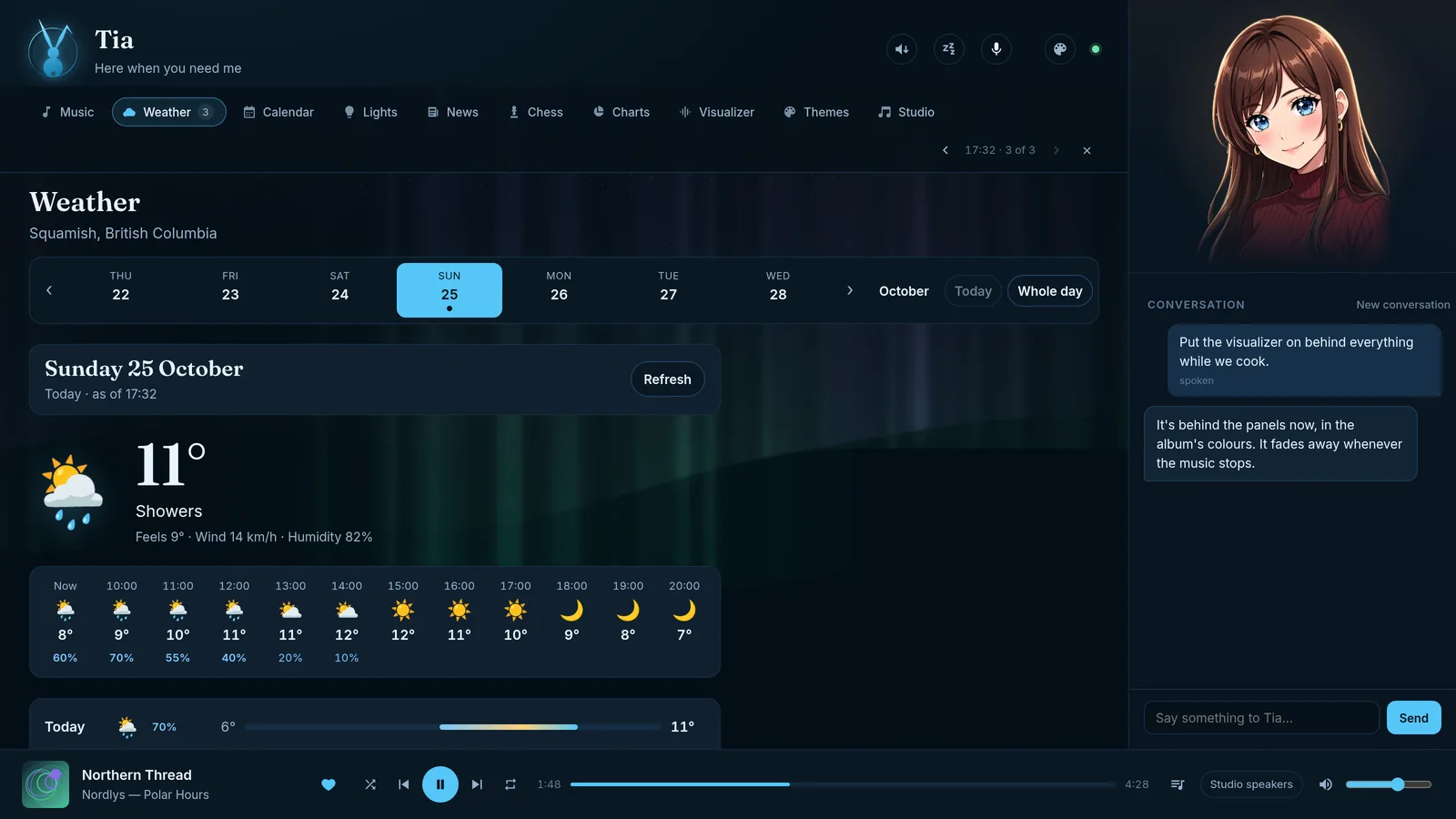
Tia lives in a window of her own on the desktop: a conversation down one side, her portrait above it, and a stage where she puts whatever she's talking about. Ask her something and she answers out loud, puts the details on the stage, and files them in tabs so the weather doesn't push your music picks off the screen.
Under the hood she's a long-running session with a frontier model, and well over a hundred tools of her own: music, weather, the lights, the calendar, the desktop, a chess engine, a music studio. She knows the time, who's at the desk, and what's playing. She remembers what you like.
She listens. Mostly when you mean it.
- "Hey Tia" is her own wake word, trained for her and heard on the machine itself. No cloud, no account.
- Look to talk. Show her once where her window is, and after that you can face it and just start talking. Glance away and she's not listening.
- Hold up a palm and she stops mid-sentence. Works on alarms too.
- She knows it isn't for her. Singing along, or talking to someone else in the room? She hears two voices, works out it wasn't meant for her, and stays quiet.
- Whisper on the GPU turns speech into text in about a third of a second, and her voice starts with her first sentence while she's still working on the rest.
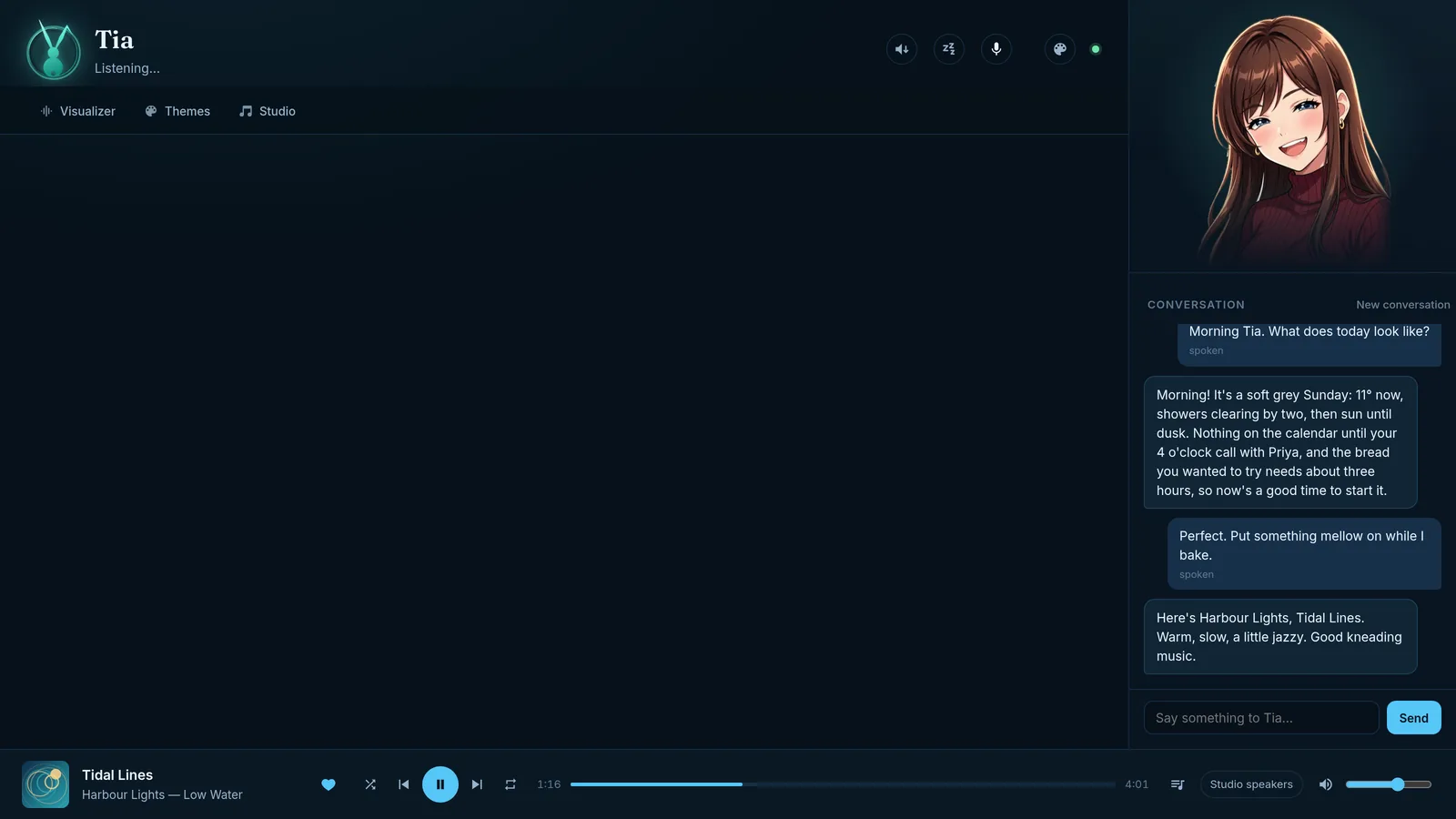
Routine things skip the model entirely. "Dim the lights", "pause", "ten-minute timer", "what's playing": a fast lane of plain rules does them on the spot, for nothing, and answers in her voice. Anything it isn't sure of goes to her as usual.
Real taste in music
Ask for "some atonal music, ideally GENUIN recordings" and she does the homework: MusicBrainz for the labels and catalogues, the web for the context, and then specific recordings, played on Spotify, with a word on why each one. She notes what you like and what you skip.
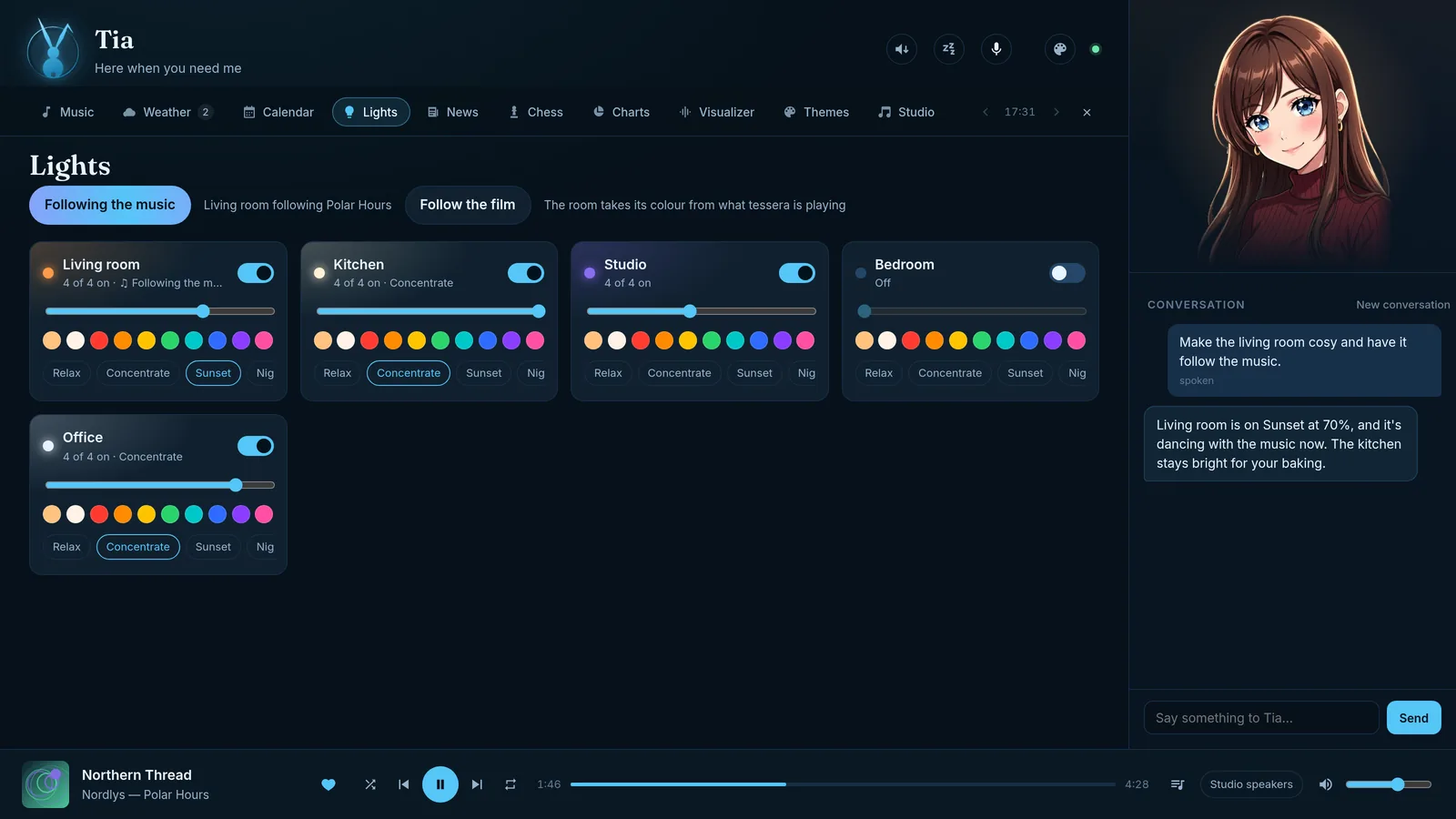
She finds Spotify speakers on the network that the API can't see, and wakes them up herself. And she lowers everything else while you're talking to her.
She's a VJ
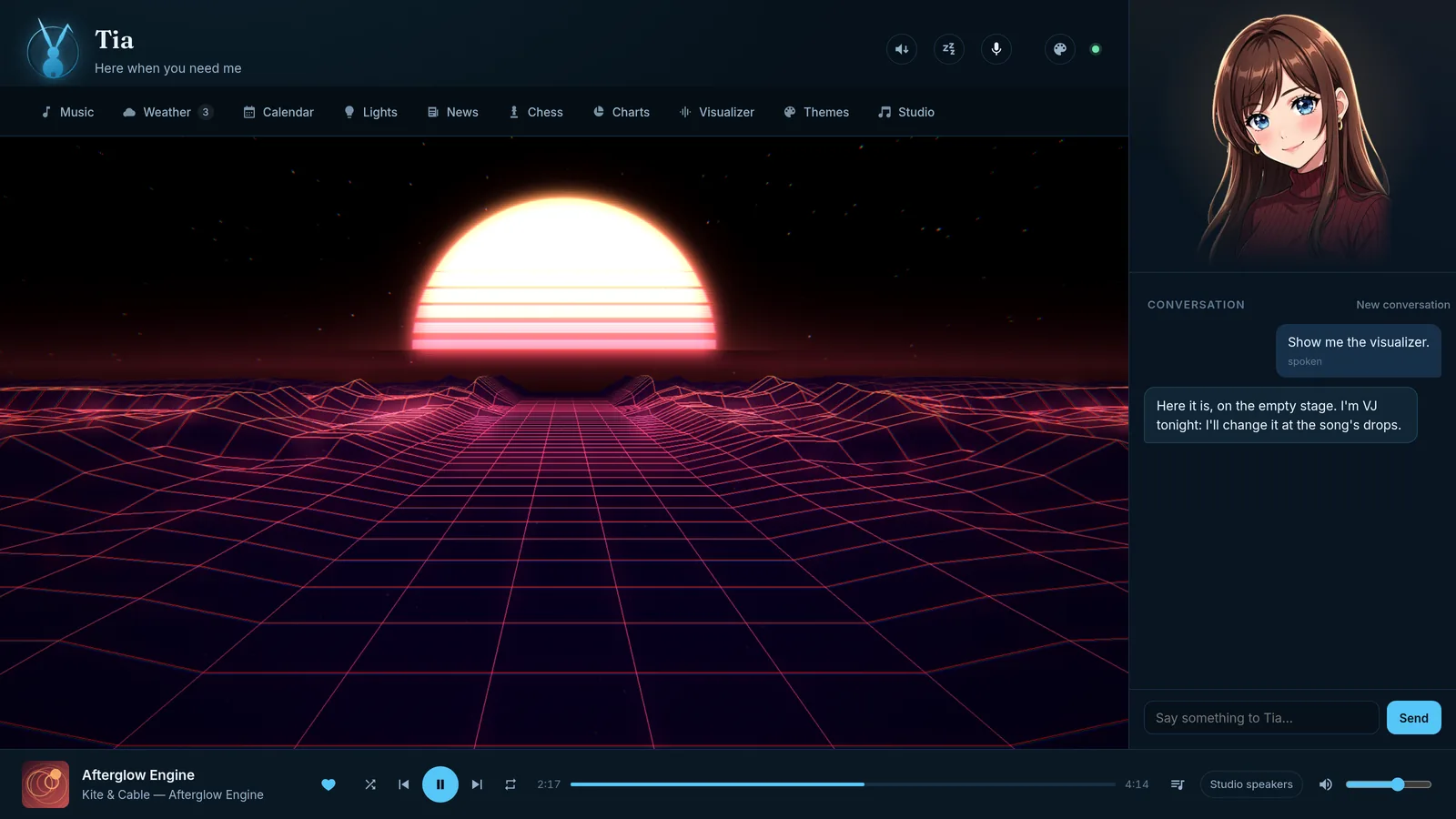
The visualizer is Winamp and Milkdrop, rebuilt for now: layers of spectrum, oscilloscope, Milkdrop's feedback tunnels, starfields, wireframe landscapes, Unknown Pleasures ridgelines and plasma, all blended in WebGL, all reacting to the music. Press F and it fills the screen. Press space and it rolls the dice.
And she runs it. She knows the songs, so she picks a scene to suit each one, then listens for the drops, breakdowns and lifts and plans changes to land on them. The first time through a song she's a beat late; after that she's right on it. She can even write a new GLSL shader for a song when none of the layers fit.


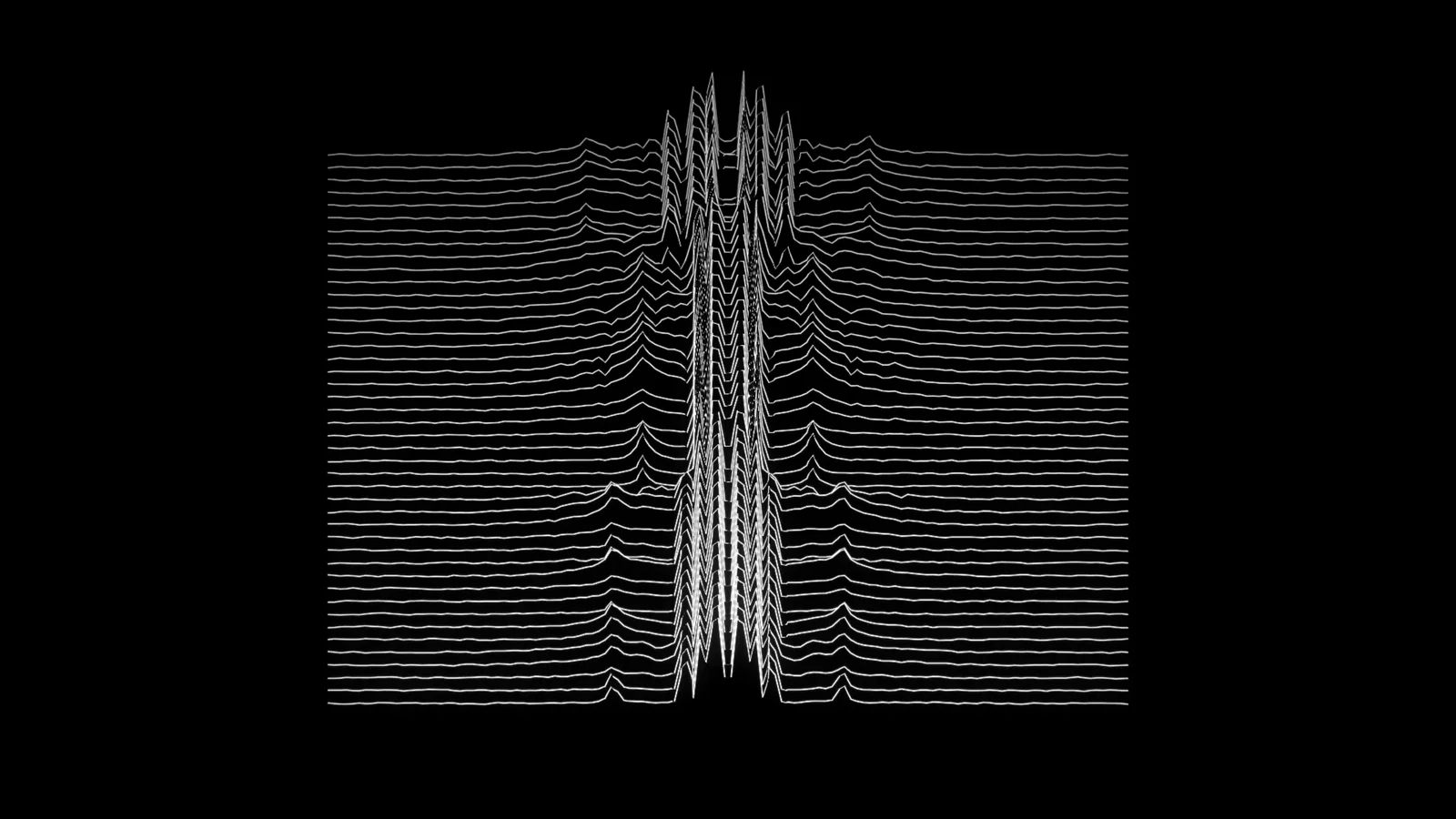
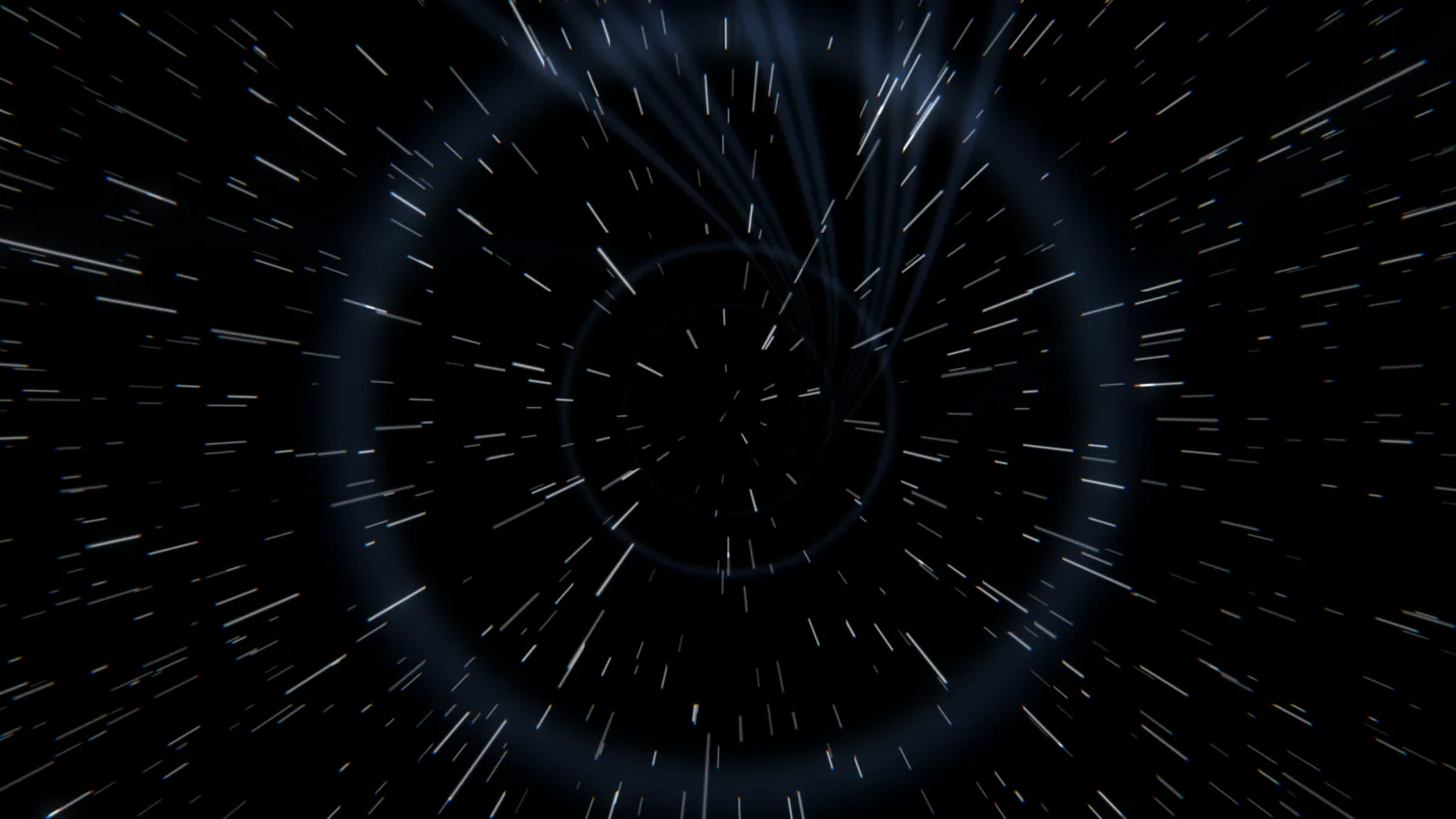

Outrun, Aurora, Unknown Pleasures, Hyperspace, Lava lamp: five of the built-in scenes, full screen.
A stage for everything
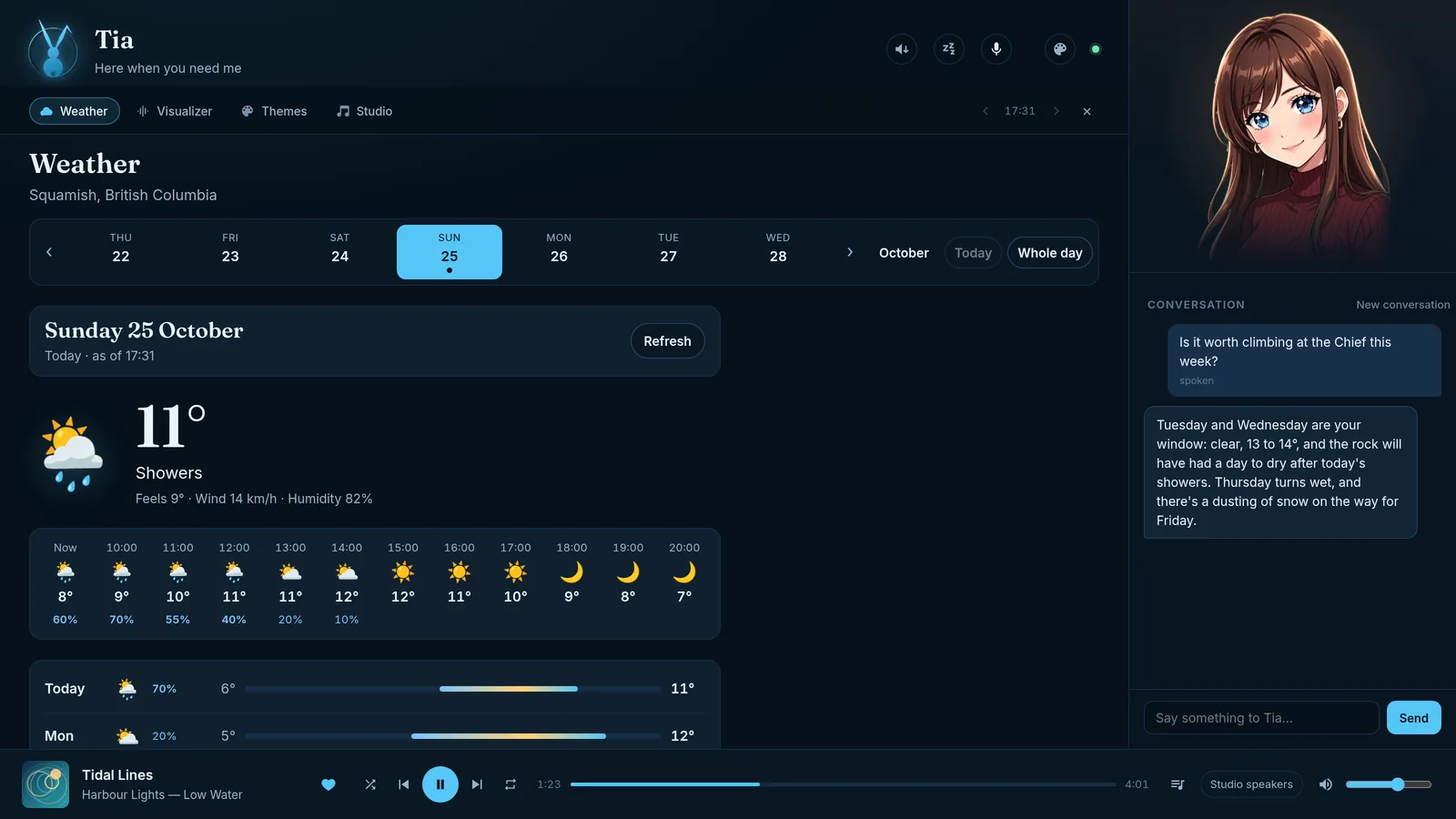
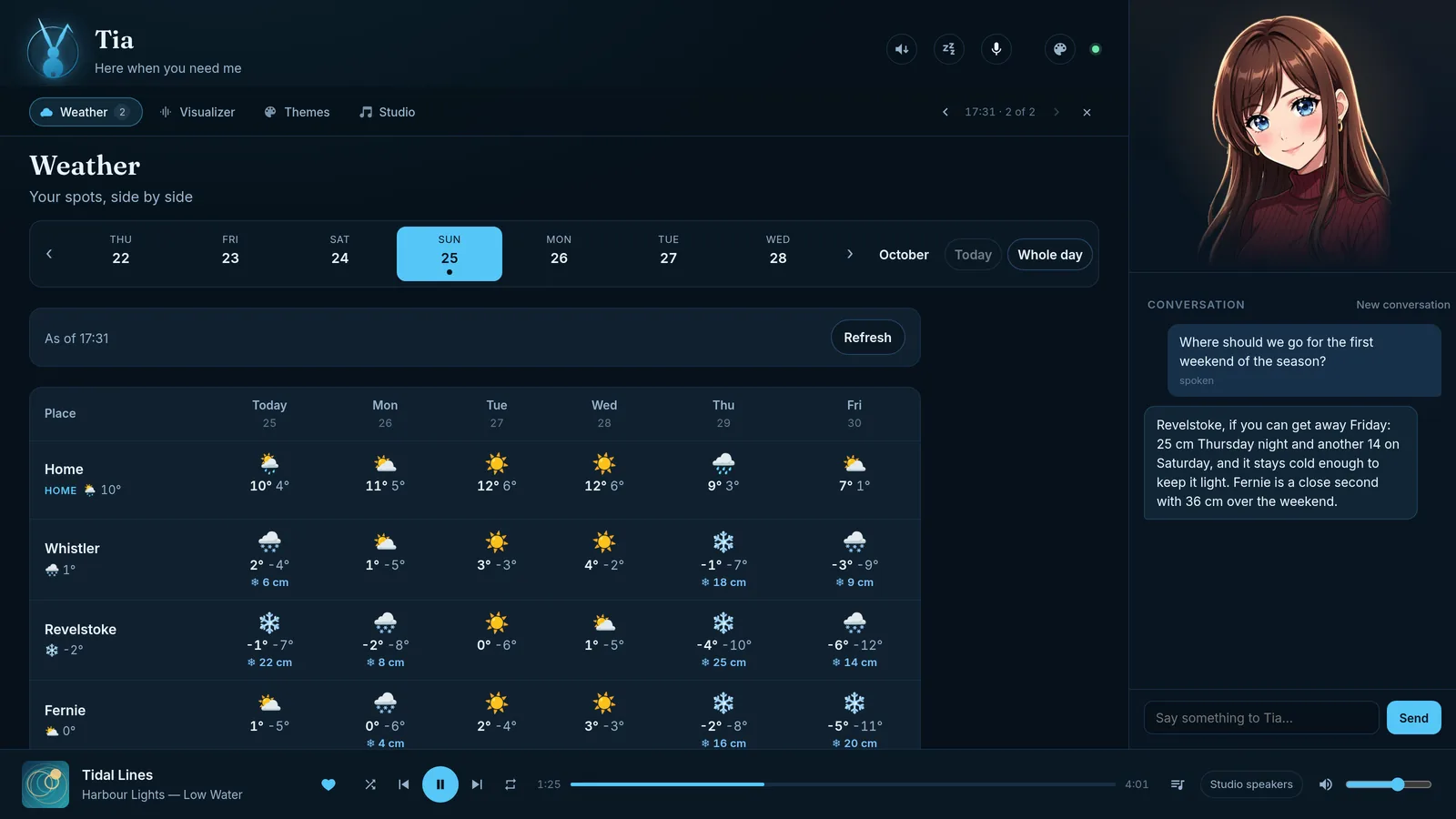
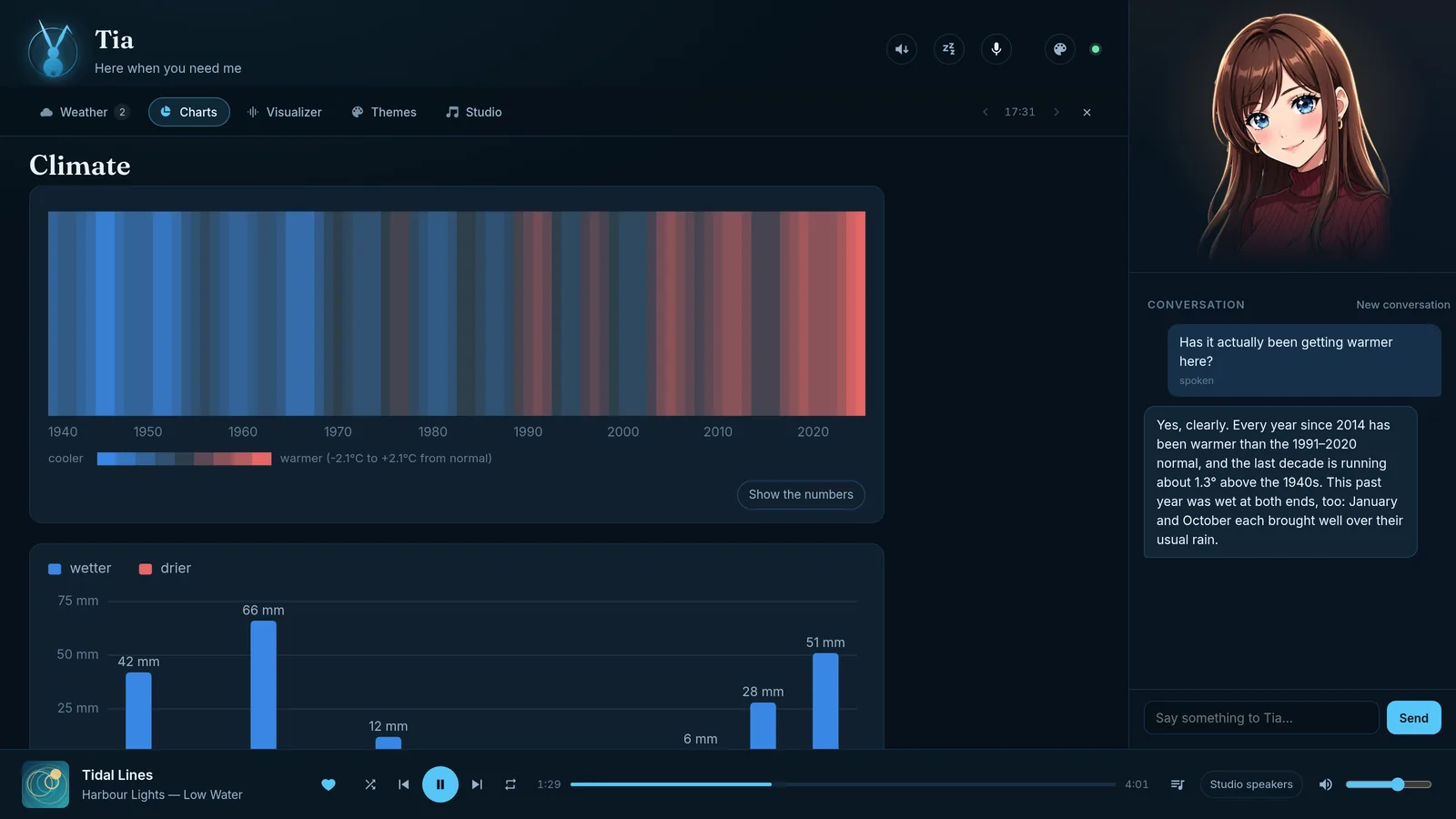
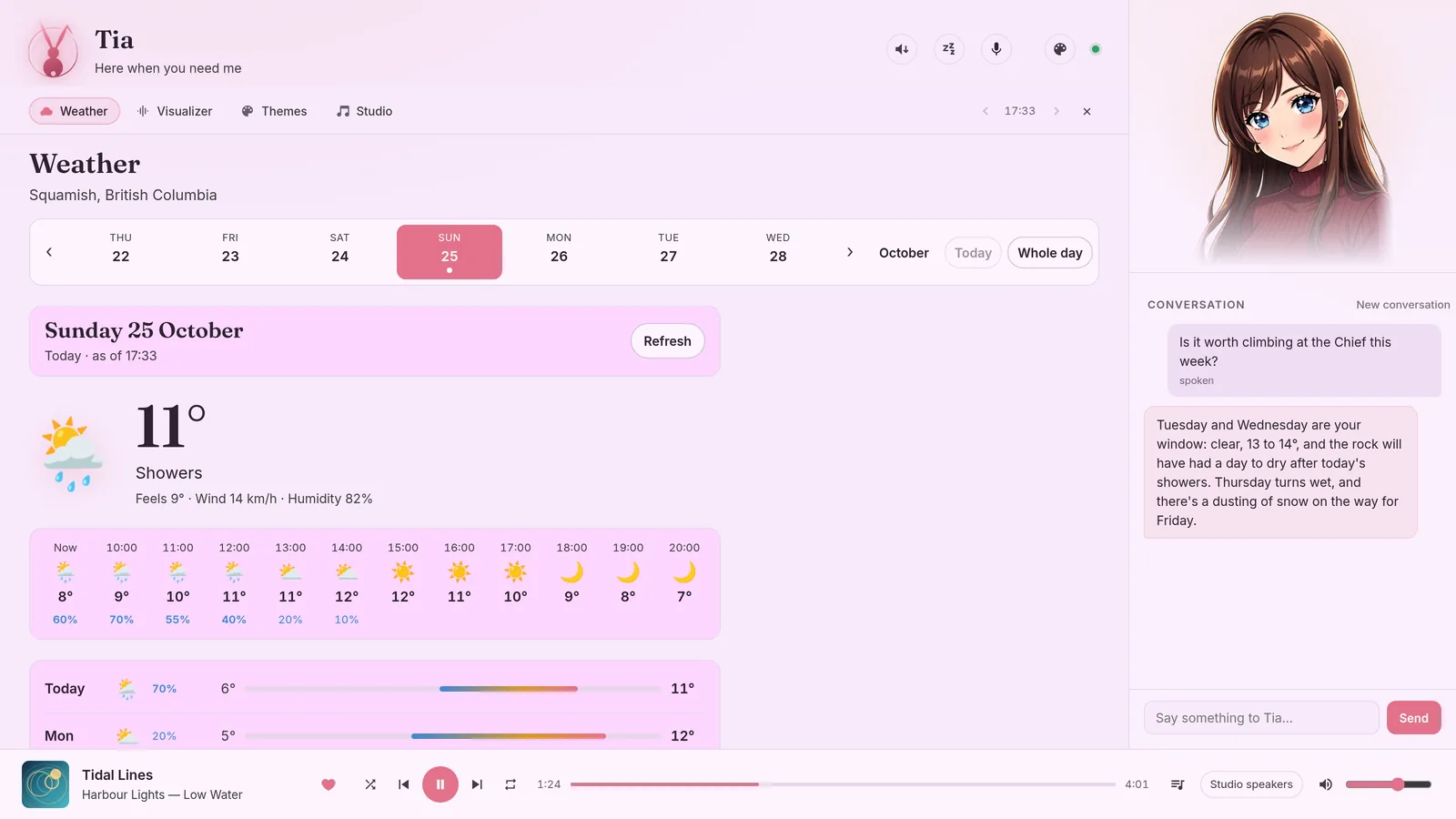
She shows rather than recites. The forecast comes up as a forecast, so she only has to say whether it's worth climbing on Tuesday. The ski spots you watch sit side by side, snow totals and all. Weather history goes back to 1940, so "has it actually been getting warmer here?" gets an answer with the numbers behind it.
Charts on demand
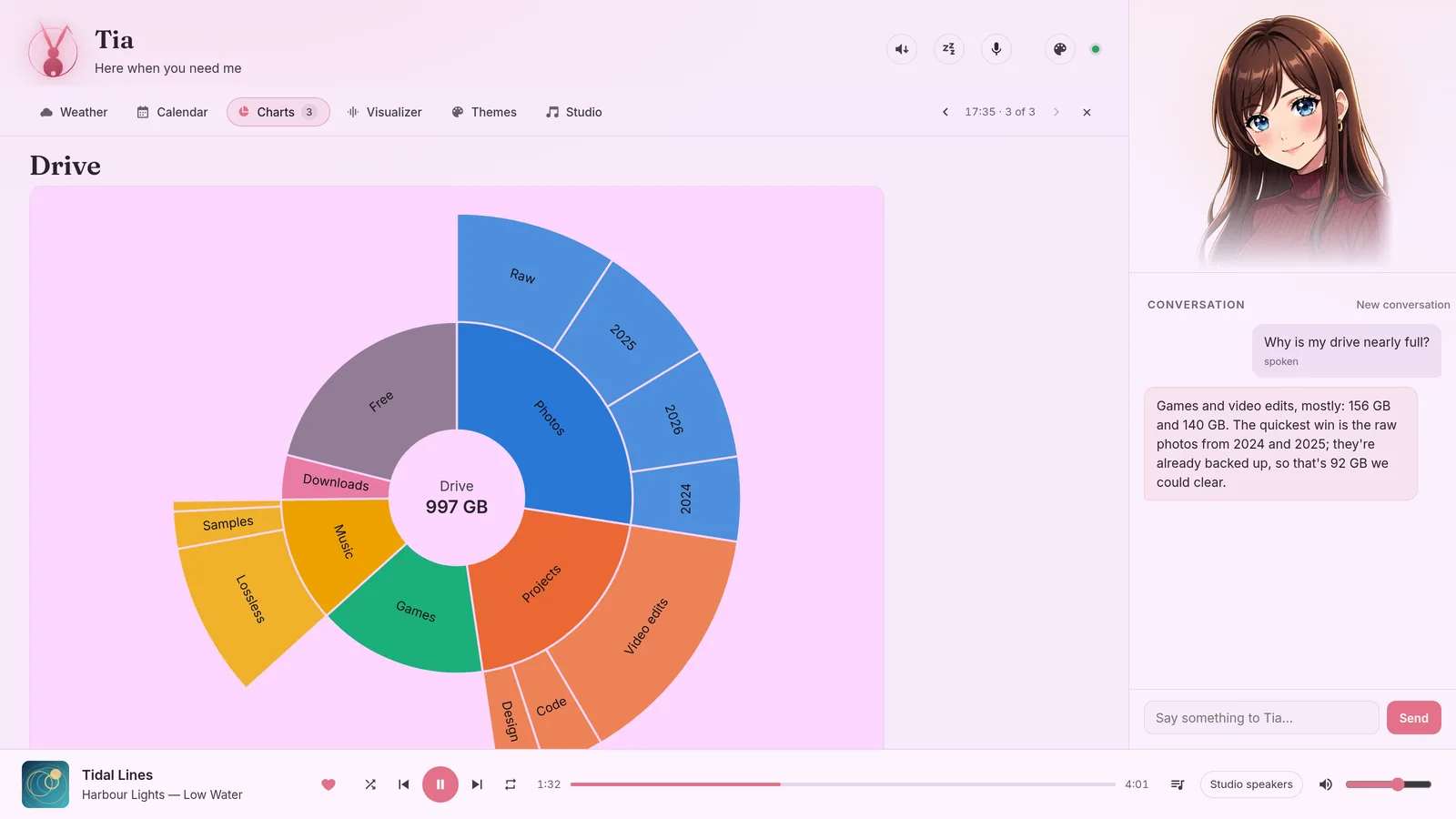
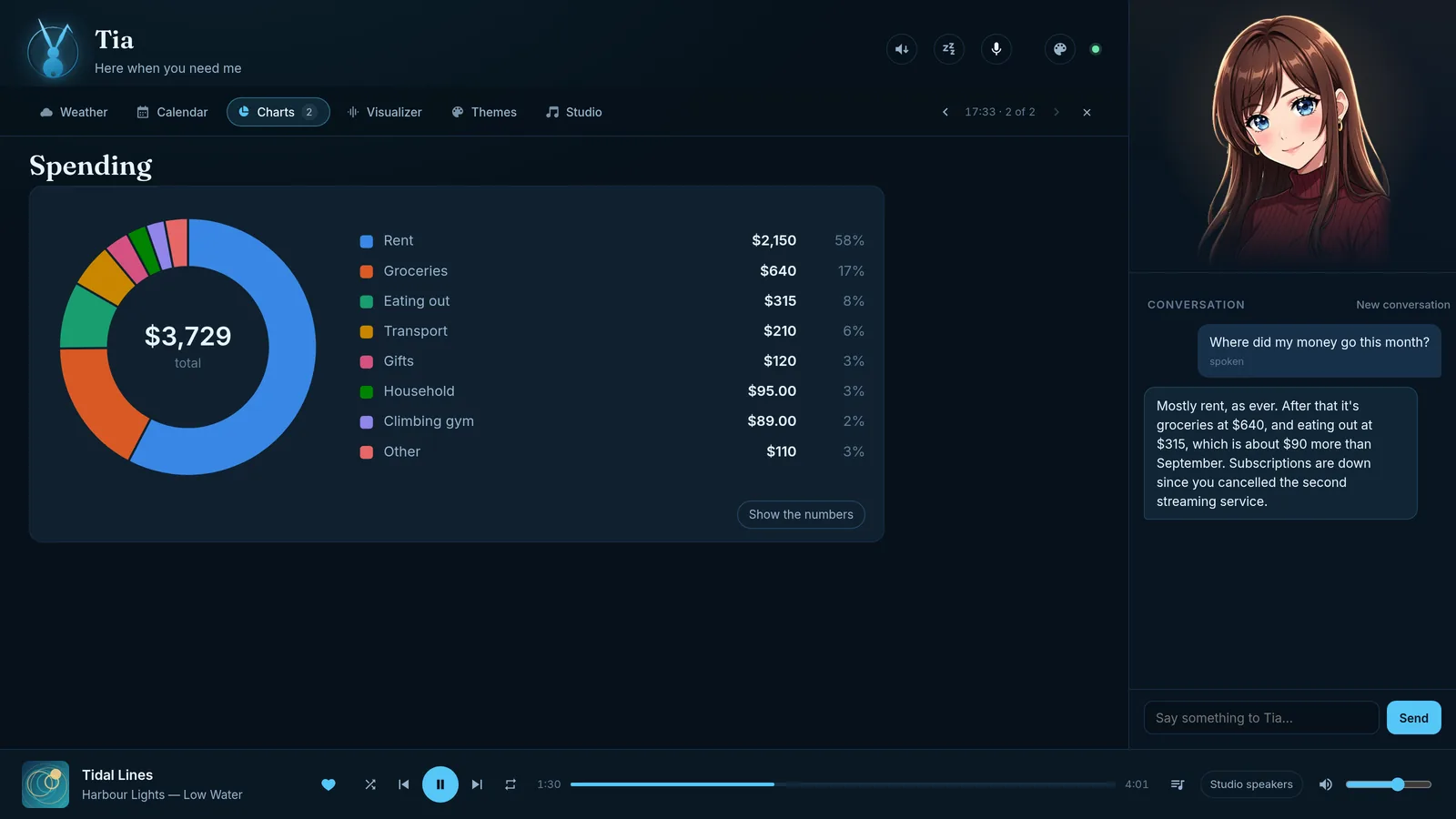
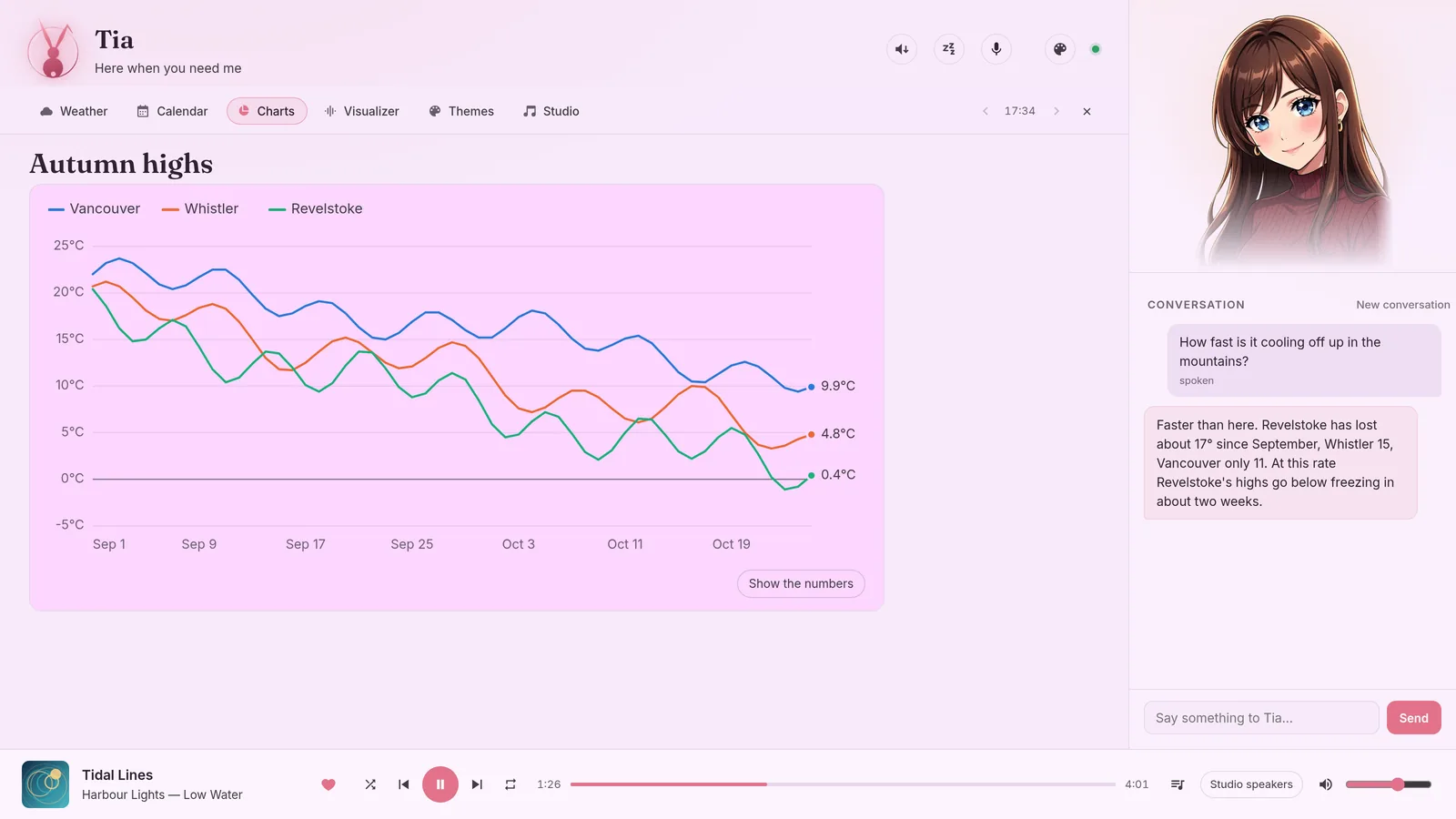
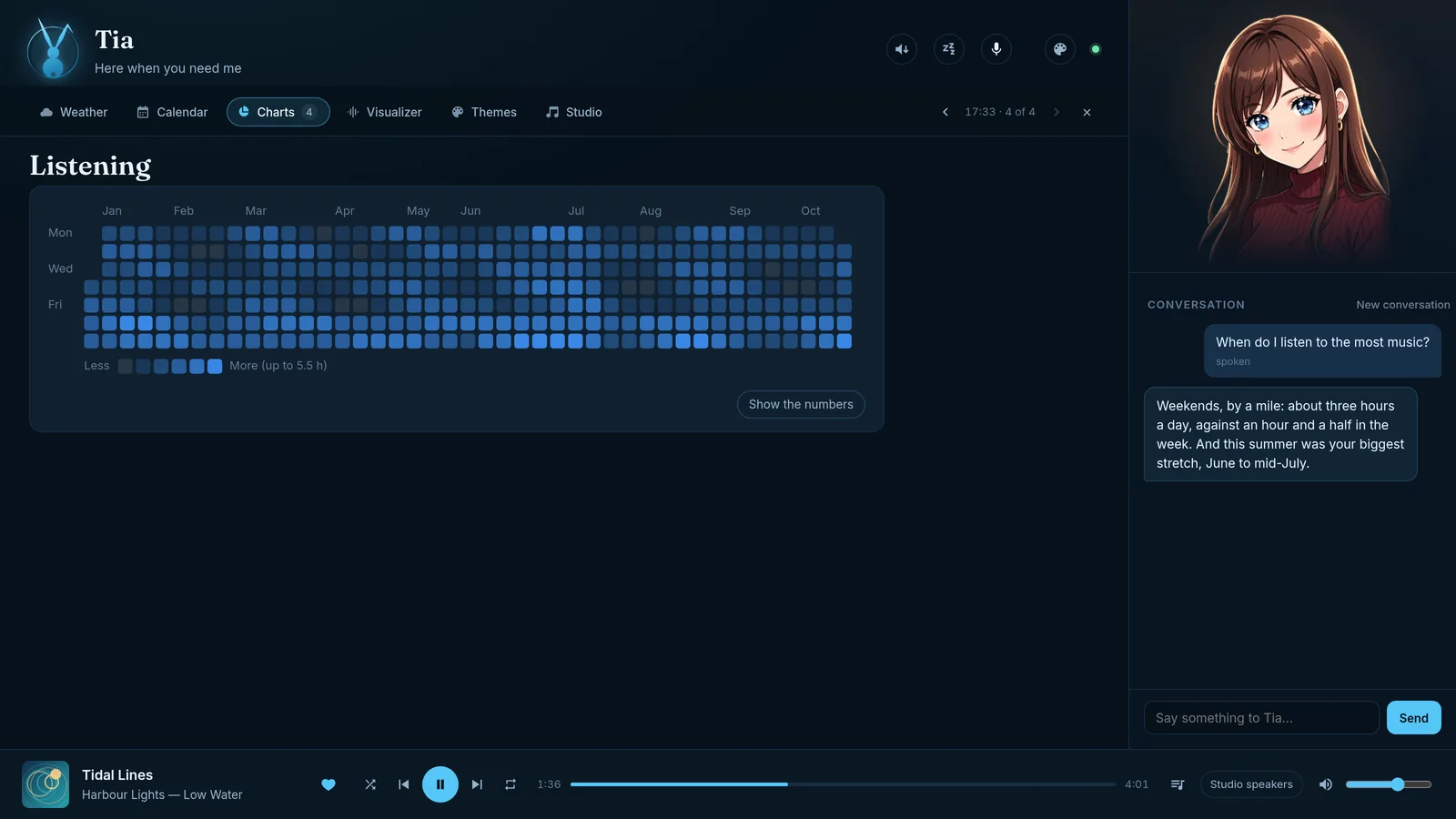
Anything with numbers in it can become a chart, drawn in the theme you're wearing. Lines, bars, stacks, donuts, zoomable sunbursts and treemaps, calendar heatmaps, warming stripes. Hover for the numbers, or ask for the table. She'll send them to your phone, too.
A studio, and a teacher
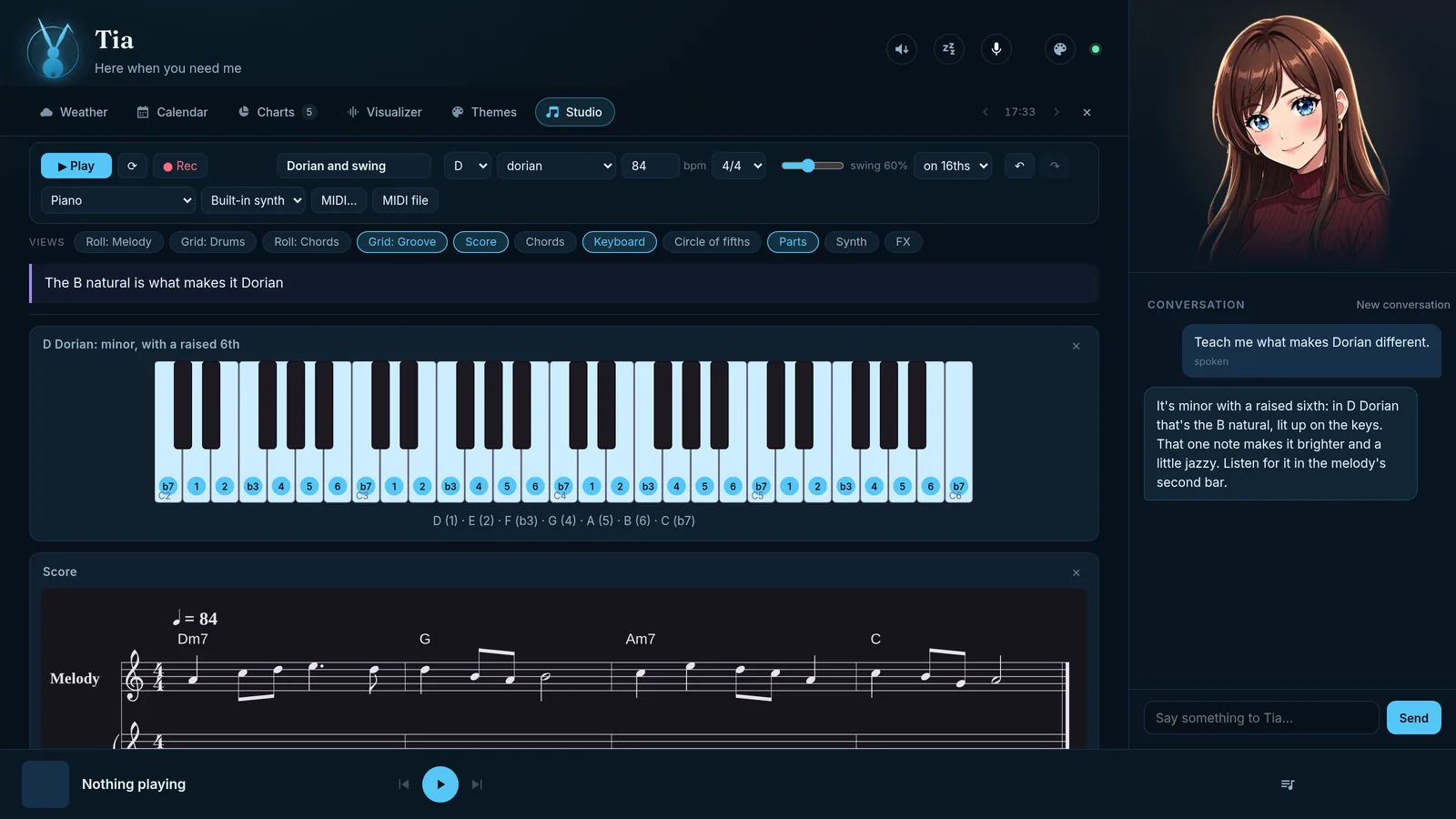
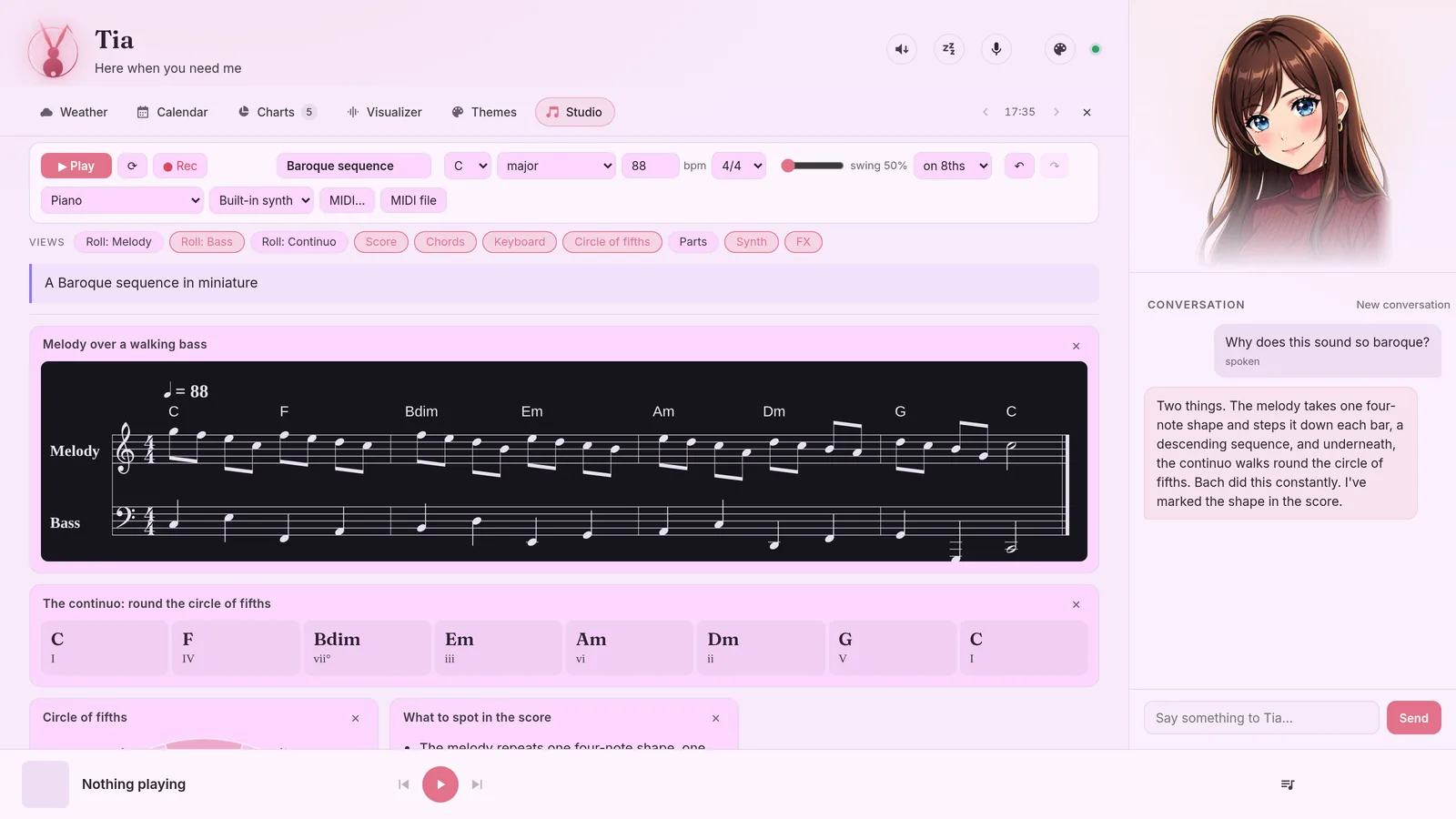
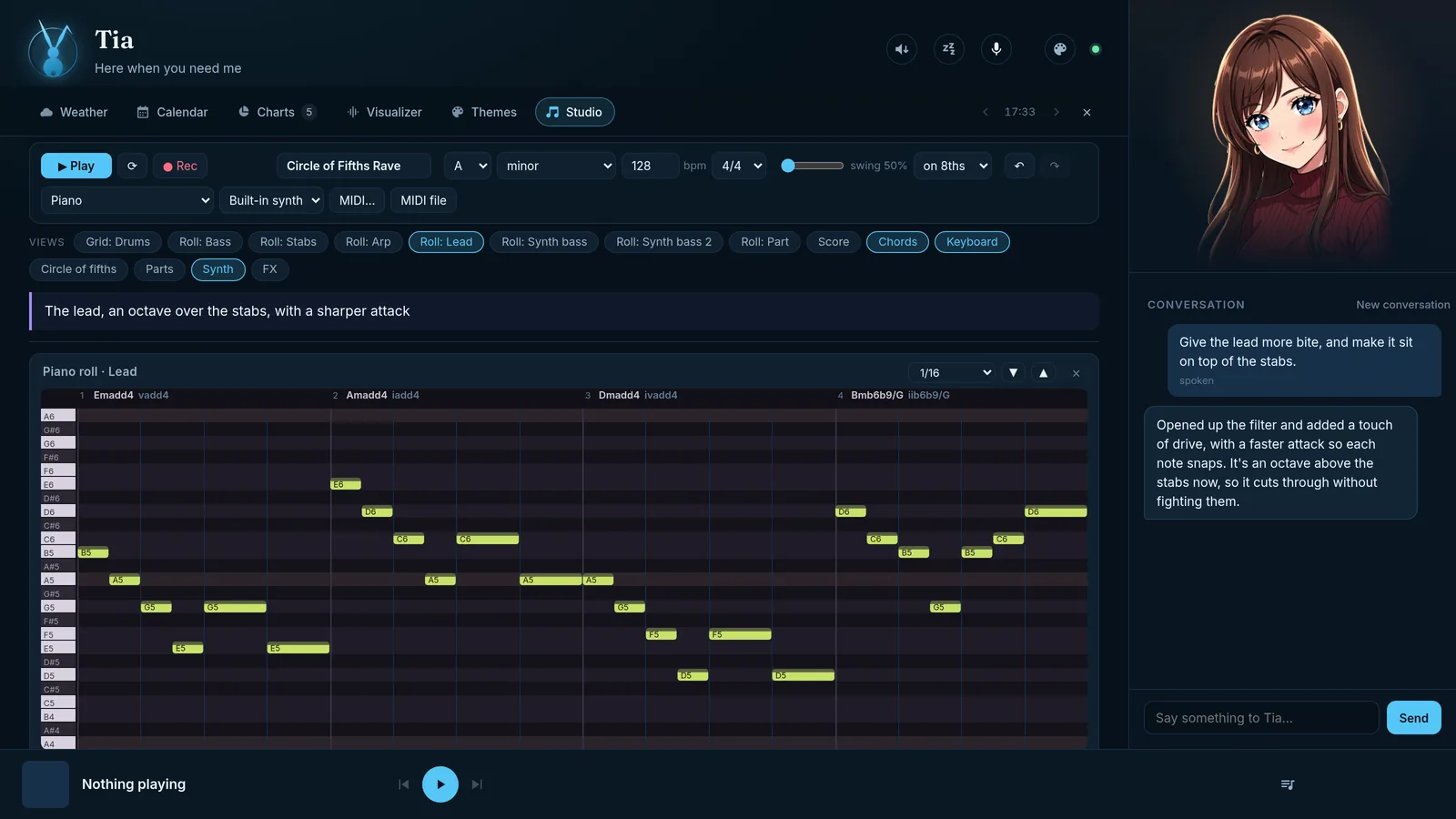
The Studio tab is a small music workstation she shares with you: piano rolls, drum grids, a score, chords worked out as numerals, the circle of fifths, a synth with knobs to turn, effects. Plug in a MIDI keyboard, or hum a tune and she'll write it down. She writes parts with you, and if you ask why something works, she'll show you right there in the score.
And the rest of the day
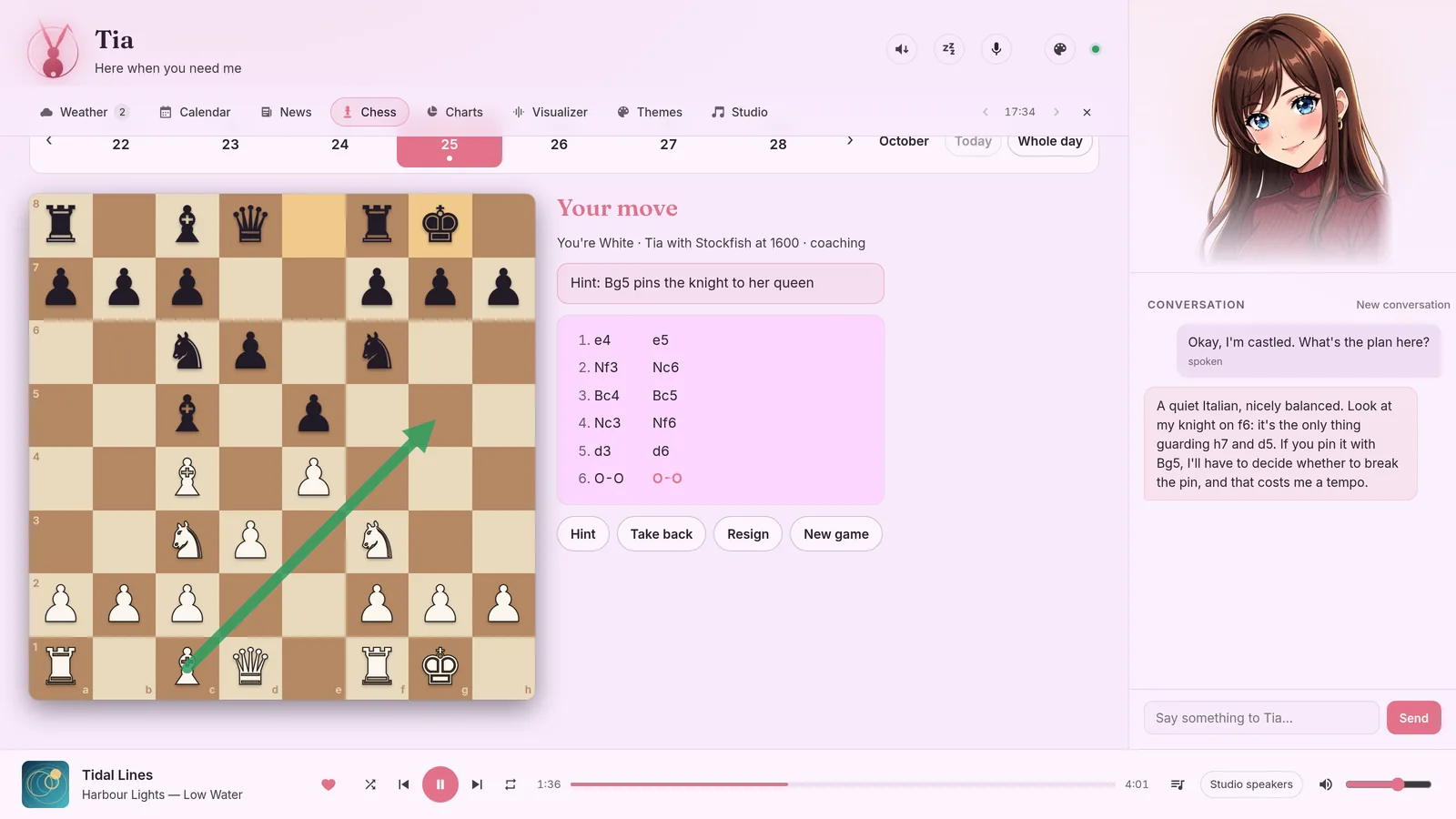
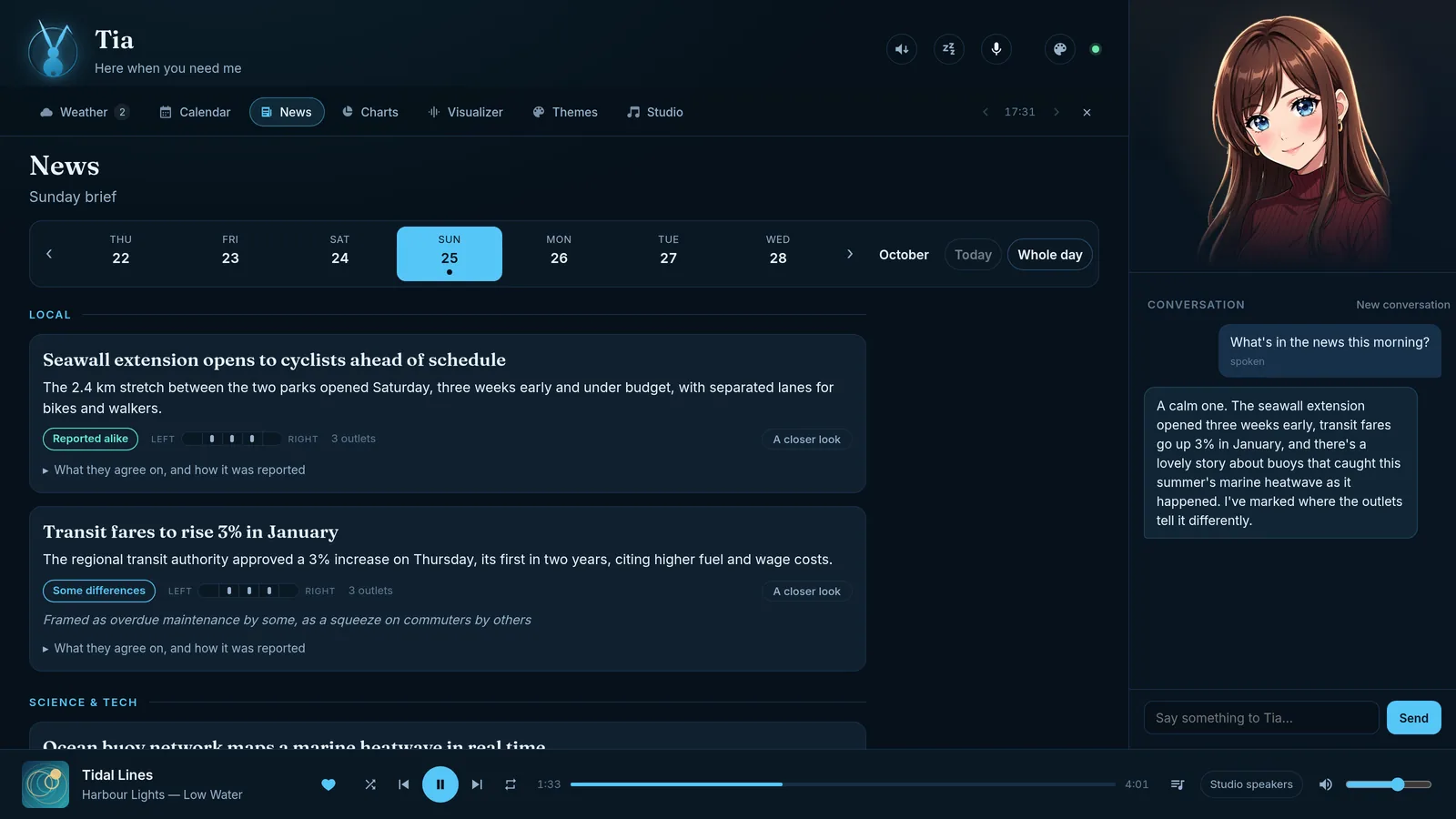
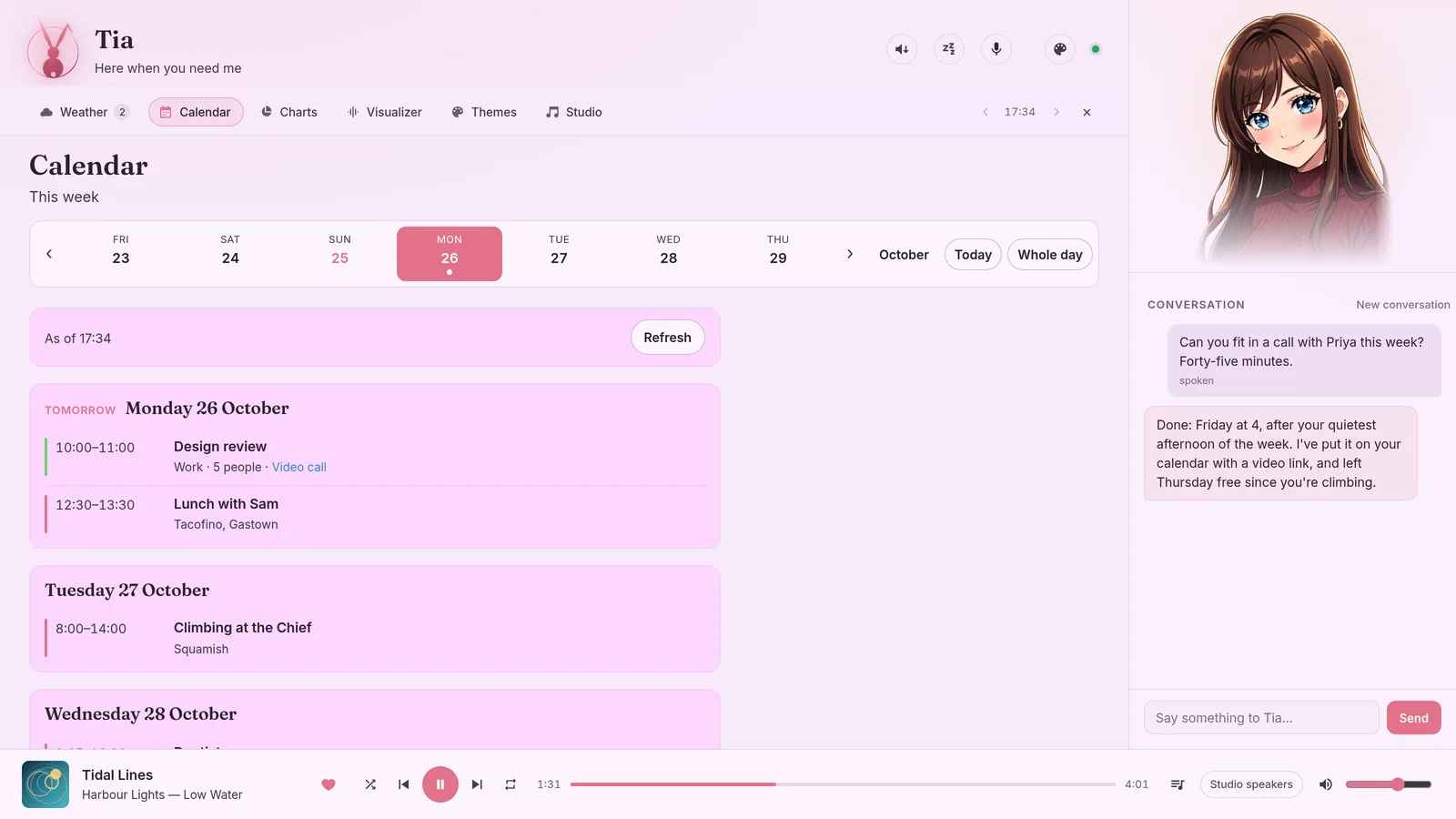
A news brief that reads dozens of outlets and tells you where their stories disagree. A calendar she can add to, but never invite anyone from. Mail she can read and draft, but never send. Timers, alarms, notes she leaves herself for later, and watches ("let me know when it's out") that she checks on her own. And a chess coach with Stockfish behind her, pointing out the pin you missed.
Does your Echo Esper?
Tia does. While a film plays in openTessera, say "Hey Tia, enhance": the picture freezes and Deckard's photo analyser takes over the screen: a green grid, a readout, and a picture that answers to you.
- "Enhance 224 to 176." She glides to the point on the grid.
- "Track 45 right." "Pull back." "Stop." No wake word needed once it's running, and it chirps and whirrs while it works.
- "Enhance the licence plate." She looks at the frame herself, finds it, and brackets it with a reticle before she zooms.
- "Give me a hard copy right there." Cut from the full-resolution frame, tone-mapped if it's HDR, sharpened, and printed. On paper.
It goes in to 16×. It can't see around corners. Yet. It's on the list.

Dressed for the occasion
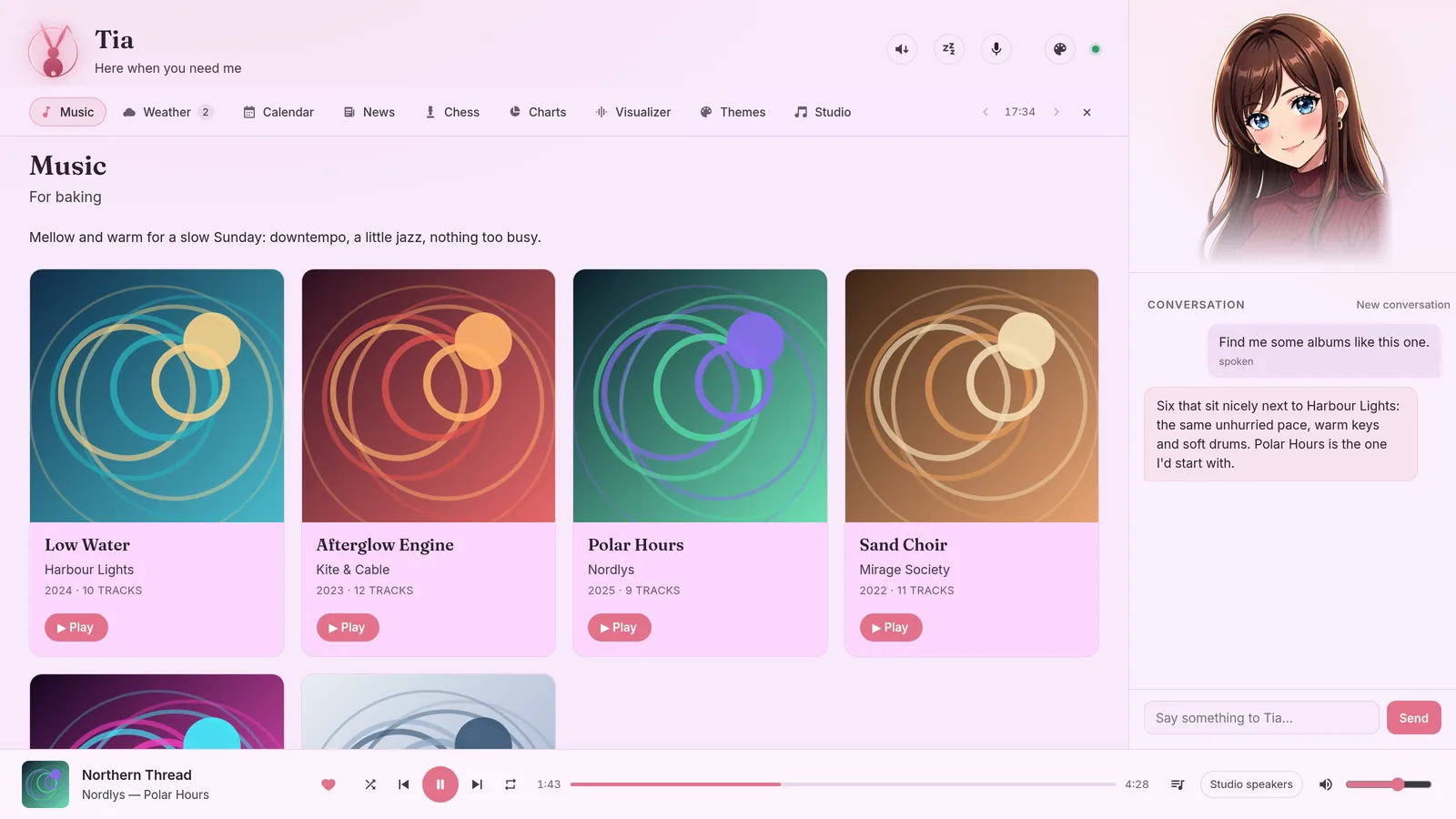
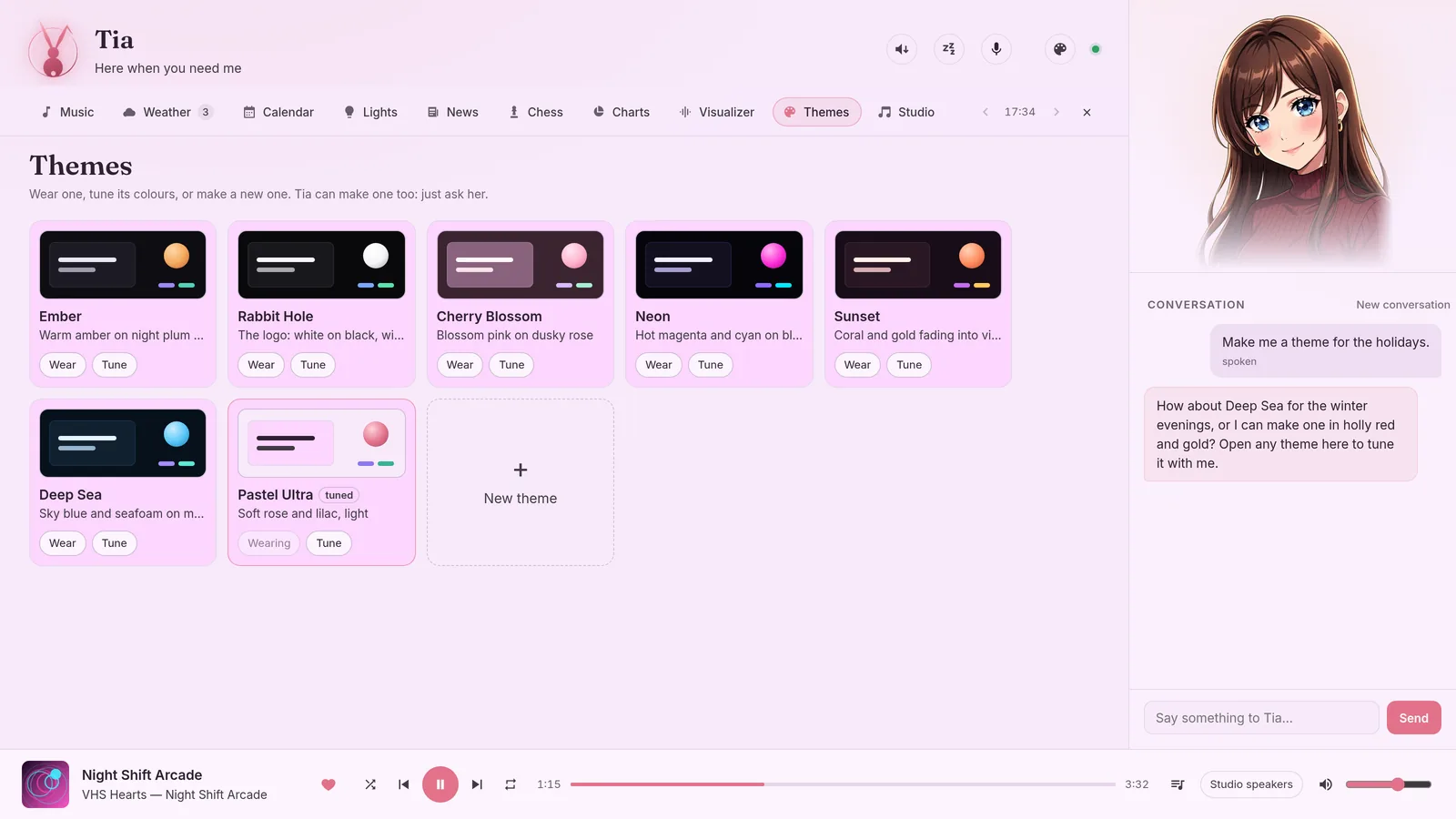
Seven themes come built in, and she'll make you more from a mood or an occasion ("something for the holidays"), then tune them with you colour by colour, keeping everything readable. Each computer can wear its own. Her icon in the dock and the top bar is redrawn in every one of them.
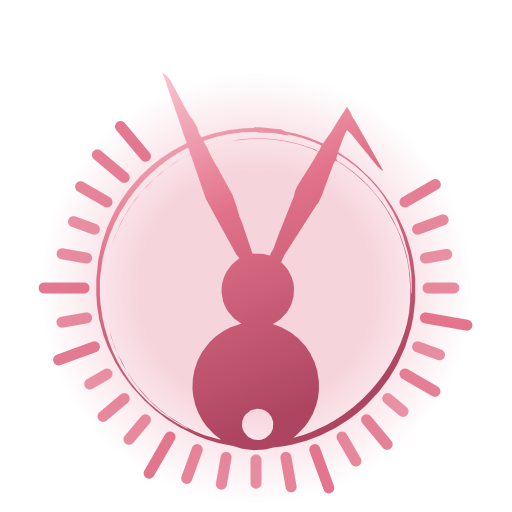
That icon is the Rabbit Hole rabbit inside the ring, with bars that move around it when she talks. In Deep Sea it's sky blue and seafoam; in Pastel Ultra, rose.
Trust, but verify
An assistant with a shell, your mail and your calendar needs some rules, and Tia's aren't left to the model.
- Her tools are sorted by what they touch. Music and lights are open to anyone in the room. Mail, the calendar and anything sensitive need her to be sure it's me, and code checks that before the tool runs: where the request came from, who the camera sees, how many voices she heard, and whether one of them was mine.
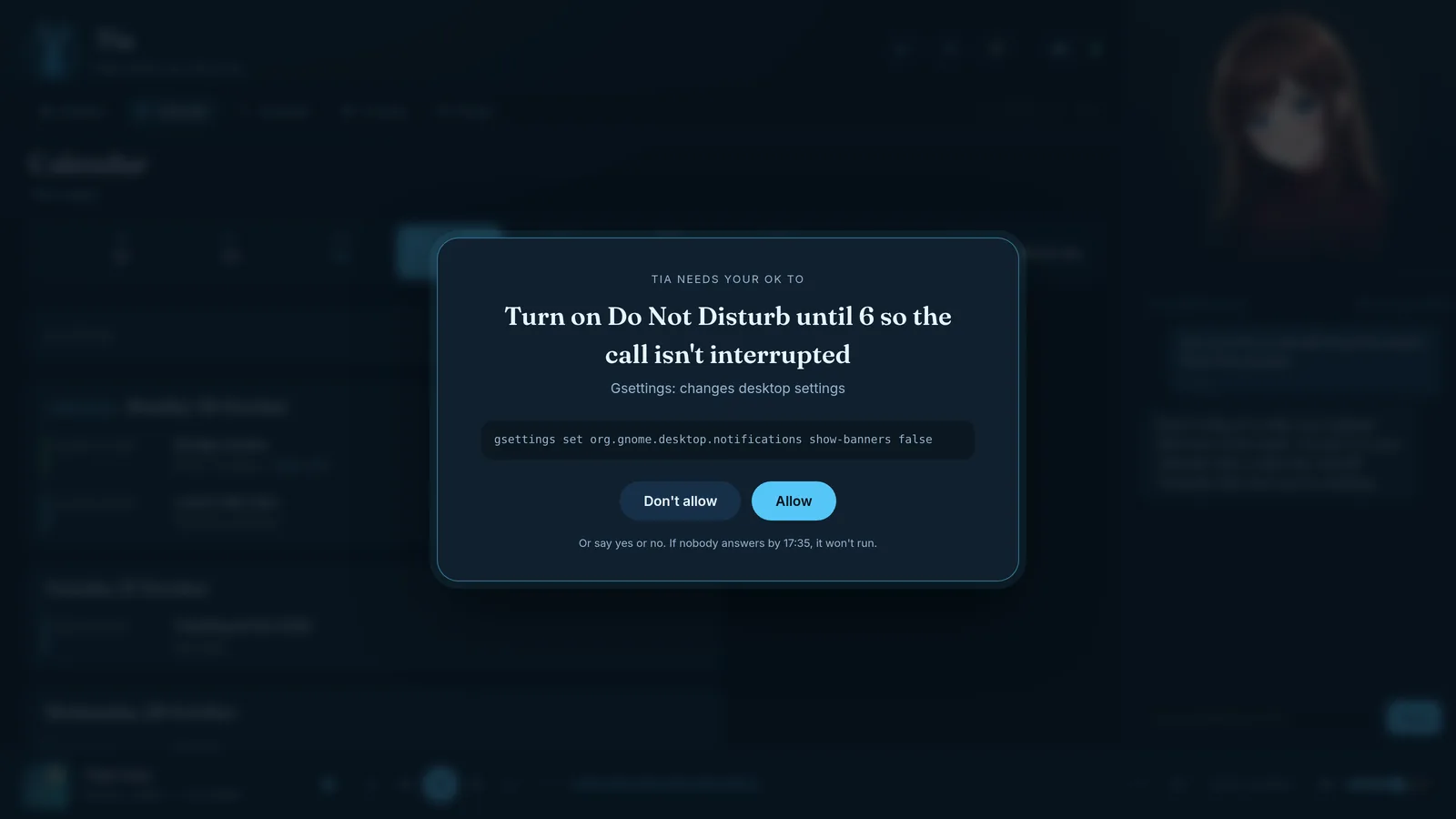
- Anything that changes the system asks first, on the screen, out loud, or on my phone. Read-only commands just run.
- Drafts, never sends. Calendar events, never invitations.
- A daily budget, and a receipt under every reply: which model, which tools, what it cost, how long it took.
One Tia, every room
A laptop or a Mac can be a station: it lends her its microphone, speakers and screen, hears "Hey Tia" itself and transcribes on its own chip where it can, while she keeps running at home base. It's one Tia everywhere, with the same conversation, memory and tools. A station with a camera does look to talk too. Away from home, she's on Telegram, voice notes and all.
What the file says she runs on
- Brain
- Flexible frontier: a frontier model for the thinking, smaller ones for errands and helpers, swapped as better ones arrive
- Ears
- openWakeWord with a model trained for "Hey Tia"; faster-whisper on the GPU; speaker embeddings to count voices
- Eyes
- Face recognition and MediaPipe gestures, run on the machine itself, never in the cloud
- Voice
- Streaming text-to-speech from three providers, switchable
- Hands
- Spotify, MusicBrainz, Philips Hue (the Entertainment API at 50 frames a second), Open-Meteo, Gmail and Google Calendar, Stockfish, openTessera over MCP, a printer
- Home
- Linux, with stations on Linux and macOS
- Availability
- None. Rumored.
Built with AI, and saying so
Most of Tia's code was written by Claude, working in Claude Code. I direct it, test it at a real desk every day, and decide what stays.
Is she real?
She's real. She's answering questions at a desk right now. Whether she ever leaves it is still being decided.
If you'd want a Tia of your own, or you'd just like to say what you'd do with one, I'd like to hear it.
Tell me what you'd ask her