

Tessera
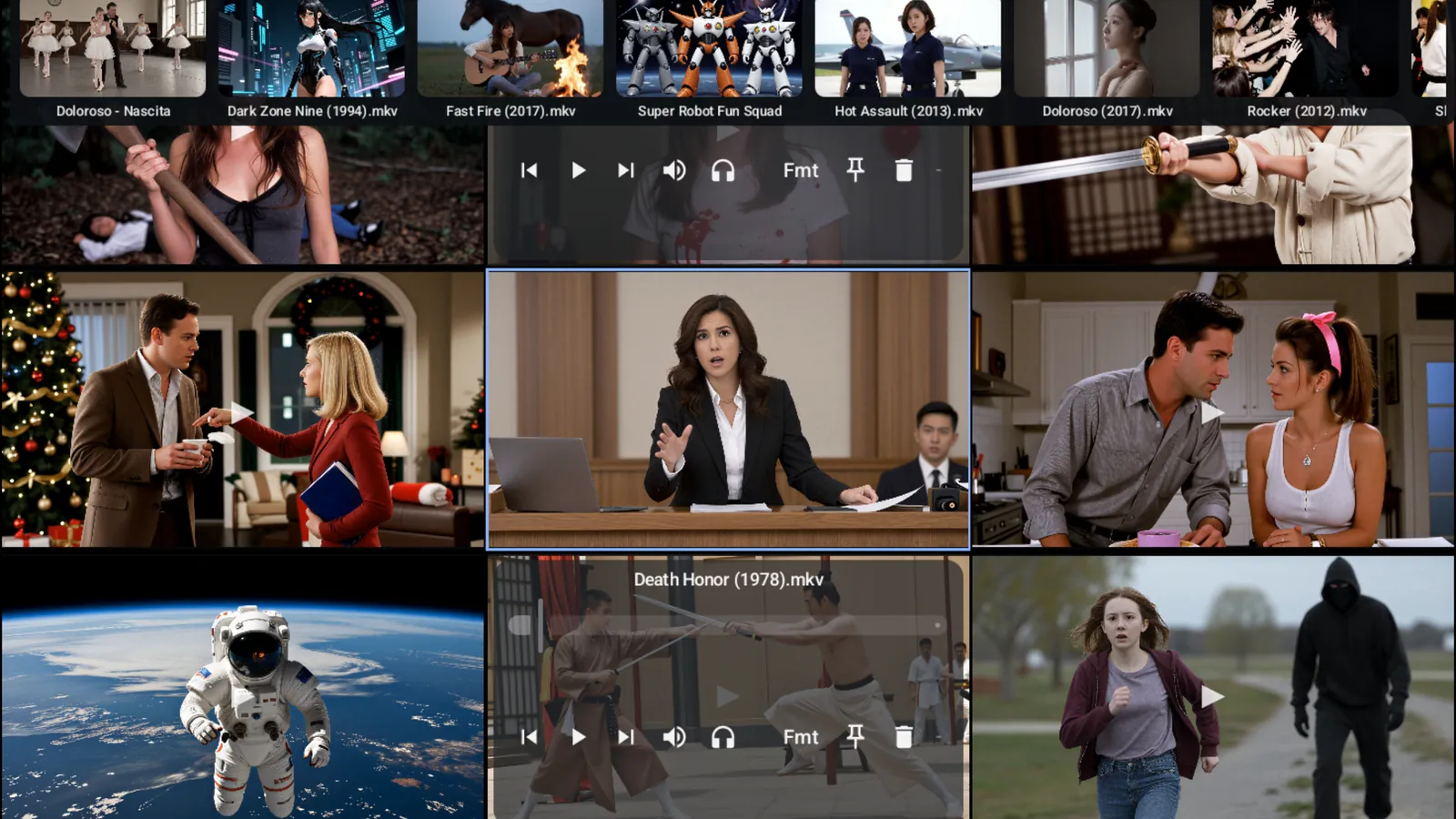
Browse a whole library as a wall of moving video. Not a grid of posters — a grid of things actually playing.
Every media player shows you a wall of static cover art and makes you remember what's inside. Tessera shows you the films themselves, moving, all at once.
As many streams as the headset's decode budget allows play live; the rest hold their last decoded frame, so the wall stays full rather than going grey. When something has to be paused to make room, the player prefers a screen behind you over the one you're facing.
Two ways to watch
- In a 2D window — one flat panel with an adaptive tiled grid, comfortable for browsing and for passthrough use
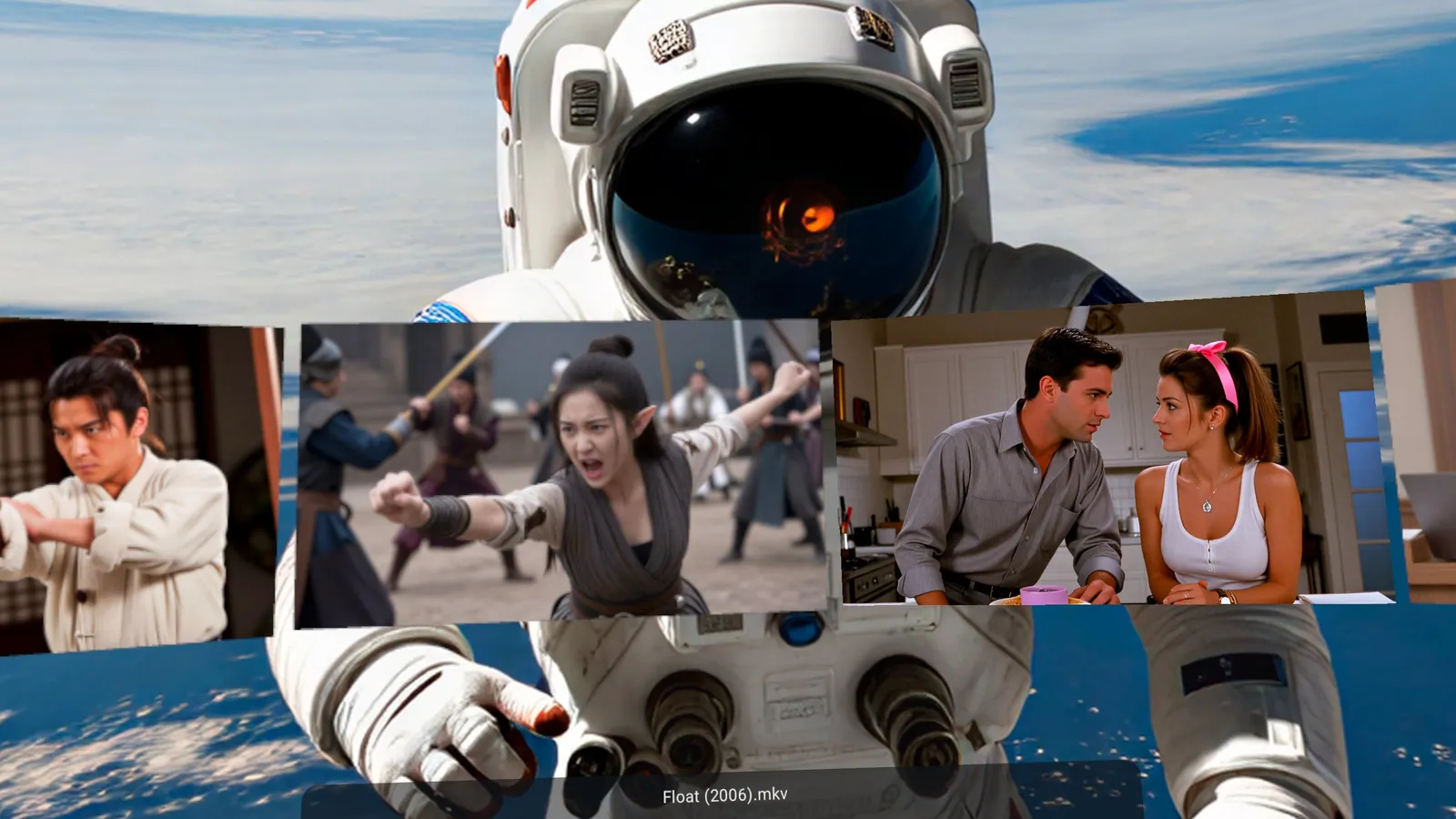
- Immersive — the same videos lift out into the room around you. Grab a screen, push it back, pull it in, grow it, curve it, over passthrough or a solid backdrop
The switch between them preserves state — what's playing keeps playing, so you don't lose your place changing your mind. Every screen has its own sound, too: mute any of them, or solo the one you're watching.
The decode budget
A headset can only decode so much video at once, and naive players fall over when you ask for more. Tessera treats that ceiling as the central problem rather than an afterthought.
A budget controller weighs each stream by resolution, frame rate and codec, admits what fits, evicts what doesn't, and watches for dropped frames to adapt its ceiling while you browse — the real limit falls once the headset heats up.
Modern codecs — H.264, HEVC, VP9 and AV1 — go to the hardware decoder. Older formats it handles badly, like XviD, DivX, WMV and MPEG-2, are decoded in software instead — they're cheap enough, and that leaves the hardware free. Tessera never implements decompression itself, so all the engineering goes into orchestration instead.
How many play at once depends on what they are. Twelve small files is realistic; heavy 4K is two or three. Past that, screens pause on their last frame rather than everything stuttering.
Where your video lives
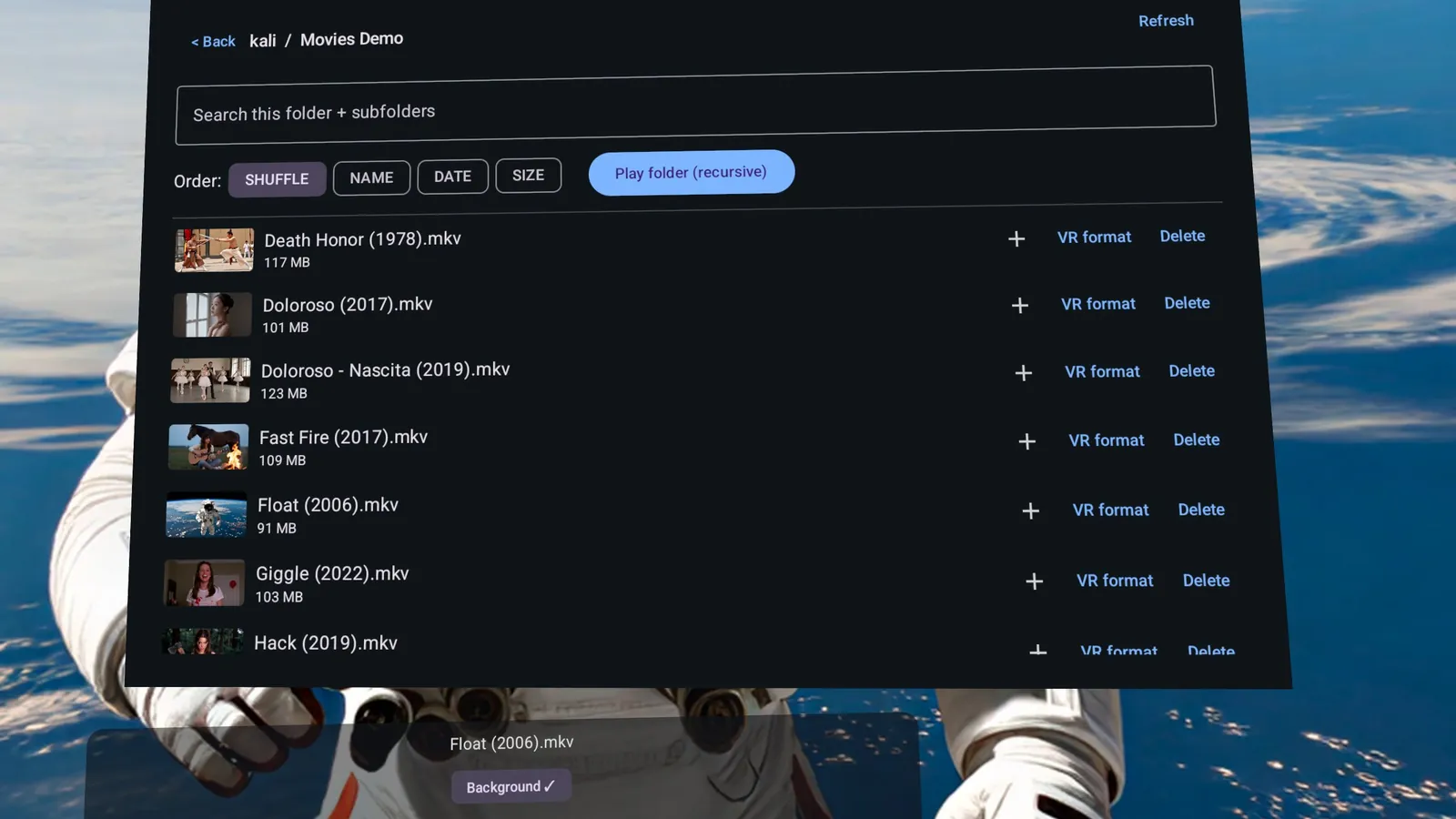
Tessera is a player, not a service — no catalogue, no subscription, nothing streamed from us. It plays your own files, from wherever they already are:
- On the headset — its own video library, or any folder you add
- USB drives — NTFS, exFAT or FAT32, including drives Horizon OS won't mount itself
- SMB / network shares — native SMB2/3 with fast seeking
- Jellyfin and Plex servers — direct play of the original file, never a server-side transcode
Five short clips from the Blender Foundation's open movies come bundled, so there's something to watch before you've connected anything.
3D and VR video
Side-by-side, over-under, 180°, 360° and fisheye are detected from the file's own metadata where present, with its name and shape as a fallback. When a file is read wrong, set the format by hand and it's remembered.
Requirements
- Headset
- Meta Quest 3 or Quest 3S
- Not supported
- Quest 2 — no AV1 hardware decode and a weaker decode budget
- Controllers
- Touch controllers
- Play area
- Sitting or standing — you stay put and the screens come to you
- Sources
- On-device storage, USB drives (NTFS, exFAT, FAT32), SMB2/3 shares, Jellyfin, Plex
- Network
- Not required — only to reach a share or media server you add
Talk to me
One developer, and I read everything. Questions, bugs or ideas — hello@rabbitholesolutions.ca. If a file won't play, tell me what it was and what it did; that's genuinely useful.